
For the WhatsApp Business API in Malaysia, onboarding directly with a certified Meta Tech Provider such as ORENCloud connects your WhatsApp number to your own Meta business portfolio through Meta’s official sign-up flow, with no third-party provider in between. When onboarding finishes, you copy your own Phone Number ID, Business Account ID and access token. ORENCloud adds no monthly platform fee for the WhatsApp Cloud API; Meta’s per-message charges apply separately.
What direct onboarding means: your WhatsApp, your Meta business portfolio
ORENCloud onboards your WhatsApp Business account itself, through Meta’s official flow. Your number is linked to your own business portfolio, and the credentials are displayed for you to keep.
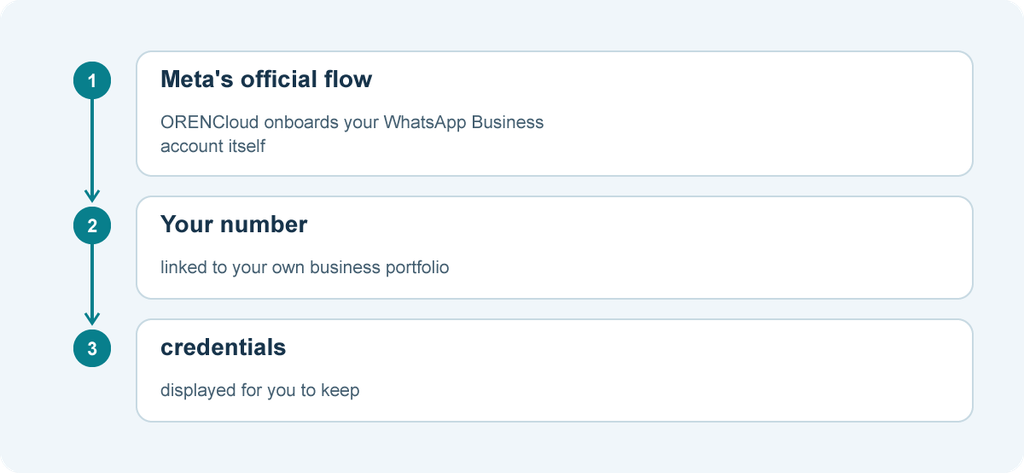
At wabasignup.oren.chat, the process runs in three steps:
- Enter your business details, the phone number to register and a six-digit two-step verification PIN.
- Complete the secure Facebook/WhatsApp pop-up.
- Copy the Phone Number ID, Business Account ID and access token shown on screen.
Hypothetical: a Penang retail chain’s operations manager files these values in company records on onboarding day. Months later, IT connects a CRM with them immediately. Nobody waits on an intermediary, because the business already holds what it needs.
Keep your own copies of message templates and webhook settings too, so your records stay complete whichever tools you add later.
Clear costs: no ORENCloud platform fee on the WhatsApp Cloud API
ORENCloud charges no extra monthly platform fee for the WhatsApp Cloud API. Messaging still has a cost: Meta charges per delivered message, by message category and the recipient’s market.
Plan for three separate line items:
- OMNI subscription: from RM 275 a month for up to 5 users, by plan.
- Meta message charges: per delivered message at Meta’s current rate card.
- AI charges: optional. Cosine is priced separately; ChatGPT assistance uses your own OpenAI API key.
Template category (marketing, utility or authentication) affects each message’s cost. Meta’s charging rules changed on 1 October 2026, so check its current rate card before forecasting.
Hypothetical: a Klang Valley clinic group’s admin sets the OMNI plan as a fixed line, estimates reminders as utility and promotions as marketing from Meta’s rates, and keeps Cosine separate. When management asks where costs can move, each line is reviewed on its own.
Why Tech Provider experience matters during setup
Most setup problems come from one missing item. An experienced Tech Provider spots it early, before it holds up registration.
Existing numbers. Meta says a number already in use on a WhatsApp app must be deleted before Cloud API registration, ending its app account. Eligible WhatsApp Business app numbers may instead use Meta’s coexistence feature, where available, keeping the Business app alongside the API with some features limited. ORENCloud confirms which flow applies during onboarding, so keep the app account until then.
Hypothetical: an SME owner on the WhatsApp Business app asks whether he will lose his number. The onboarding team confirms the route first, and he keeps serving customers meanwhile.
Business verification. New portfolios can register two numbers, rising to 20 once the business is verified or reaches a 2,000 messaging limit. Unverified portfolios are limited to 250 templates per account; verified portfolios with an approved display name can have up to 6,000. Verification is also one of three routes from 250 to 2,000 unique recipients a day. Only a portfolio admin can complete it.
Also prepare an approved display name, templates (Meta says review can take up to 24 hours) and customer opt-in under Meta’s Business Messaging Policy. After onboarding, your number connects to the OMNI shared inbox, with the Cosine AI chatbot available if you want it.
Questions to ask before you choose a provider
- Which partner tier do you hold, and does a credit line apply? Meta recognises Tech Providers, Tech Partners and Solution Partners. Only a Solution Partner holds a credit line, letting it pay Meta for your usage and invoice you.
- Which business portfolio will the account connect to? Confirm it is your own, and that you receive the Phone Number ID, Business Account ID and access token.
- Who receives Meta’s invoice? Finance should know before launch.
Developers can check too: the API call GET /<WABA_ID>/solutions lists the solutions that onboarded a WhatsApp Business Account.
ORENCloud’s direct route suits businesses that want WhatsApp on their own Meta business portfolio, credentials in hand and Meta’s rates visible at source. Start at wabasignup.oren.chat.